Which Devices Are Actually Worth Unplugging? Build a Standby-Power Hit List
A phone charger beside the bed is easy to notice, while a television box behind the cabinet can stay warm all day without attracting attention. That difference makes unplugging advice misleading: the most visible plug is not necessarily the most useful place to save electricity. A workable standby-power routine begins with the devices that spend long periods idle and ends with a change the household can maintain.
There is no need to inspect every outlet in one afternoon. Choose a small group, find out what it does while you are not using it, and decide whether a setting change or a suitable switched power strip would remove an avoidable load. Leave essential equipment alone, and treat any cost estimate as a calculation from your own readings rather than a promise about your next bill.
Separate a useful background job from an avoidable one
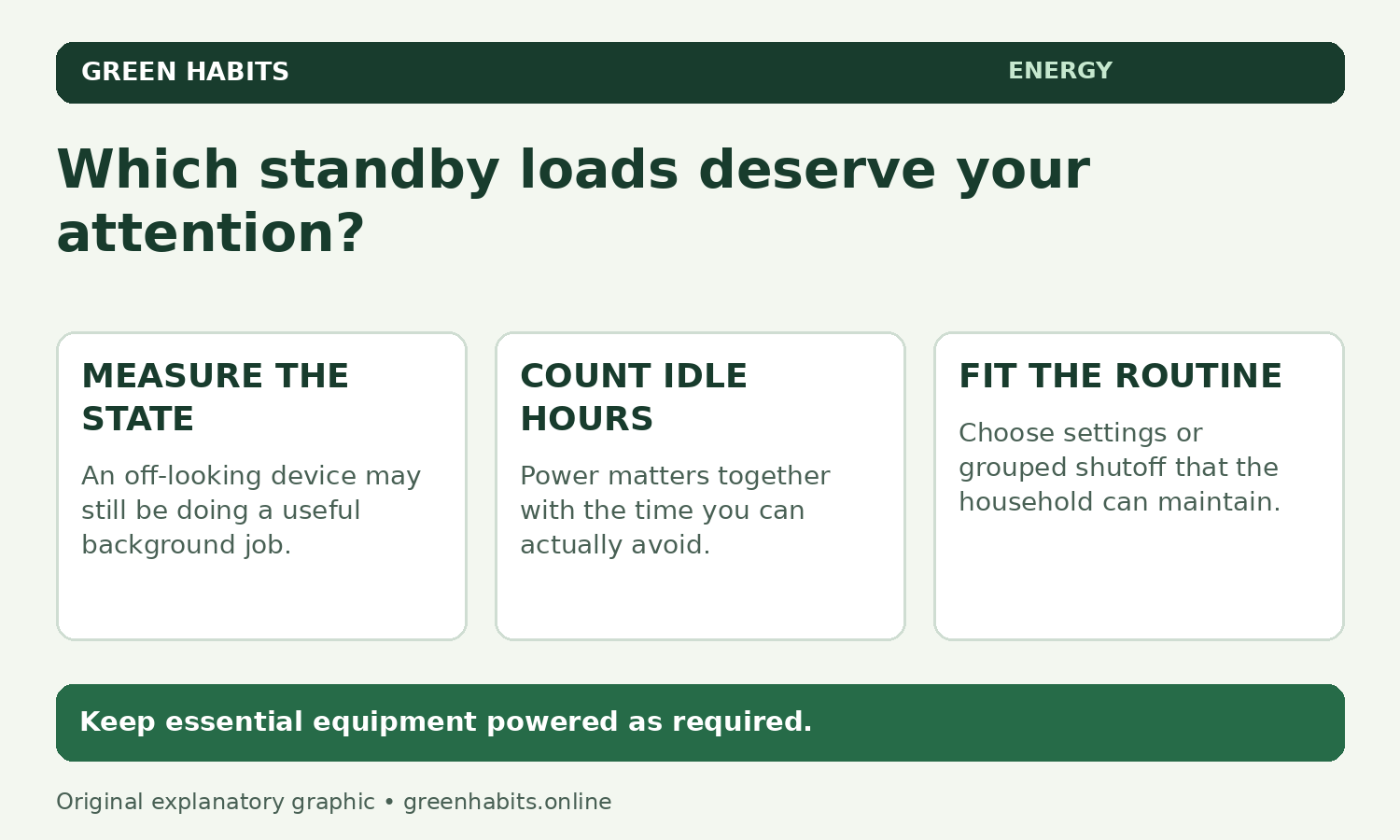
A device can look off while it is waiting for a remote control, maintaining a connection or preparing to start quickly. Standby and other low-power modes consume electricity, but the amount varies across equipment and settings. A label showing the maximum rated power will not tell you the overnight consumption, and a warm case is a clue worth checking rather than a measurement.
First ask what would stop working if the power disappeared. Refrigeration, alarms, medical equipment and necessary networking are not suitable targets for an ordinary unplugging habit. An apparently idle device may also be recording a programme, receiving an update or serving another person in the house; check its instructions and the household’s needs before disconnecting it.
Write down the answer beside each candidate. “Streaming box, unused from midnight to evening, check update behaviour” is more useful than “all plugs in the living room.” It keeps the purpose of the change visible and gives you a reason to exclude equipment whose continuous operation matters.
Measure the state you actually intend to change
A compatible plug-in electricity meter can help with an ordinary mains-powered device, provided the meter’s voltage, current and load ratings suit the equipment. Follow both manuals, keep the setup dry and do not improvise adapters or open electrical equipment. Hardwired circuits and loads outside the meter’s rating need a different approach, not a more determined attempt with the same meter.
Record the operating state as carefully as the reading. A television on its menu, a console downloading a game and the same console in its lowest-power sleep mode are three different situations. Let the device reach its normal idle state and note whether features such as instant-on or network wake remain enabled; otherwise you may compare two readings that describe different jobs.
If power varies, an accumulated energy reading over a representative period can be more useful than a momentary watt reading. Very small loads may also be below a consumer meter’s reliable measurement range. A displayed zero is not proof of literally zero consumption, so avoid building an elaborate annual estimate from a reading the instrument cannot resolve confidently.
Turn the reading into a decision
Watts describe power at a moment; kilowatt-hours describe energy over time. For a stable load, multiply watts by the hours spent in that state and divide by 1,000. Count the hours you could actually avoid, since normal viewing or working time still needs electricity.
| Power | Idle hours/day | Energy/day | 30 identical days |
|---|---|---|---|
| 13 watts | 21 hours | 0.273 kWh | 8.19 kWh |
| 0.2 watts | 21 hours | 0.0042 kWh | 0.126 kWh |
Consider an illustrative entertainment setup drawing 13 watts while idle for 21 hours a day. That is 13 × 21 ÷ 1,000 = 0.273 kWh each day, or 8.19 kWh over 30 identical days. A tiny charger drawing an illustrative 0.2 watts for the same period would use 0.126 kWh over those 30 days. These are invented examples, not measurements of a particular television, charger or brand.
Multiply the energy by the applicable price per kWh only after you understand the reading. If a bill has time-of-use rates, tiered prices or fixed charges, a simple multiplication is an estimate of one part of the cost, not a complete bill forecast. GreenHabits’ utility-bill guide explains why the units and billing period deserve attention before buying equipment.
Rank the candidates by effort as well as energy
The highest measured load is not automatically the first change to make. A moderate idle load controlled by one accessible switch may be easier to manage than a slightly larger one hidden behind furniture that must restart every morning. Add the practical consequence to the energy estimate and the priority usually becomes clearer.
| Candidate | Useful question | Possible next step |
|---|---|---|
| Entertainment equipment used together | Can the whole group be off during the same hours? | Consider a correctly rated switched strip. |
| Console, computer or networked printer | Does a lower-power setting preserve the function you need? | Compare settings before removing power. |
| A very small or uncertain reading | Can the meter measure this reliably, and is the effort worthwhile? | Leave it lower on the list while checking larger candidates. |
| Safety, cooling or essential service | Would interruption cause harm or disrupt something important? | Keep continuous power as required. |
A short list also prevents the routine from becoming a source of arguments. Tell the household exactly which switch controls the television group, what remains powered separately and when it is appropriate to use the switch. If another person must repeatedly undo the change to use the equipment, the arrangement needs revision.
Use grouped shutoff carefully
A suitable power strip works best when the connected devices share a schedule. Keep the router outside that group if someone needs internet access while the television is off, and check whether shutting down a recorder would interrupt scheduled recordings. Use a strip rated for the actual load and follow its safety instructions, including any restrictions on appliance types or connecting strips together.
A smart plug adds another device, its own consumption and sometimes an app or network dependency. It may be useful when an inaccessible socket otherwise prevents a worthwhile change, but buying one for an already tiny load does not automatically improve the result. Ask whether it solves an identified problem before adding equipment to solve an unmeasured one.
Try the change for two ordinary weeks
Choose one candidate and compare a normal period before and after the change. Note roughly how often it was used, which background functions remained available and whether anyone abandoned the routine because it was inconvenient. A holiday week and a busy working week are not equivalent, so resist crediting every difference in electricity use to the new switch.
If the equipment loses useful settings or repeatedly needs recovery, try a less aggressive sleep mode instead. If the change is easy and the avoided energy is meaningful, keep it and move to the next candidate. Larger heating, cooling or water-heating problems can outweigh standby loads; use the seasonal home check when those systems need attention.
Finish with a small written hit list: one device to switch routinely, one device whose settings deserve a trial, and equipment that needs continuous power. That is enough to turn a vague instruction to unplug more things into a repeatable household decision.